
An open port is not a vulnerability. It is a service reachable from the internet. Whether that is a problem depends entirely on whether you meant it.
Most of what a port scan turns up is not exotic: a database that should only ever have been reachable from the application server, a management interface someone opened for an afternoon in 2021, a remote-access service left listening after a migration.
Why this one needs proven ownership
The port scan is an active check. It connects to a host and asks what is there. That is a different act from reading a DNS record, so the asset must be proven yours first — a DNS TXT record, a file at /.well-known/, a code emailed to an address at the domain, a callback from the IP, or reverse DNS.
Both tiers show their credit cost in the app before you run them.
What each tier does
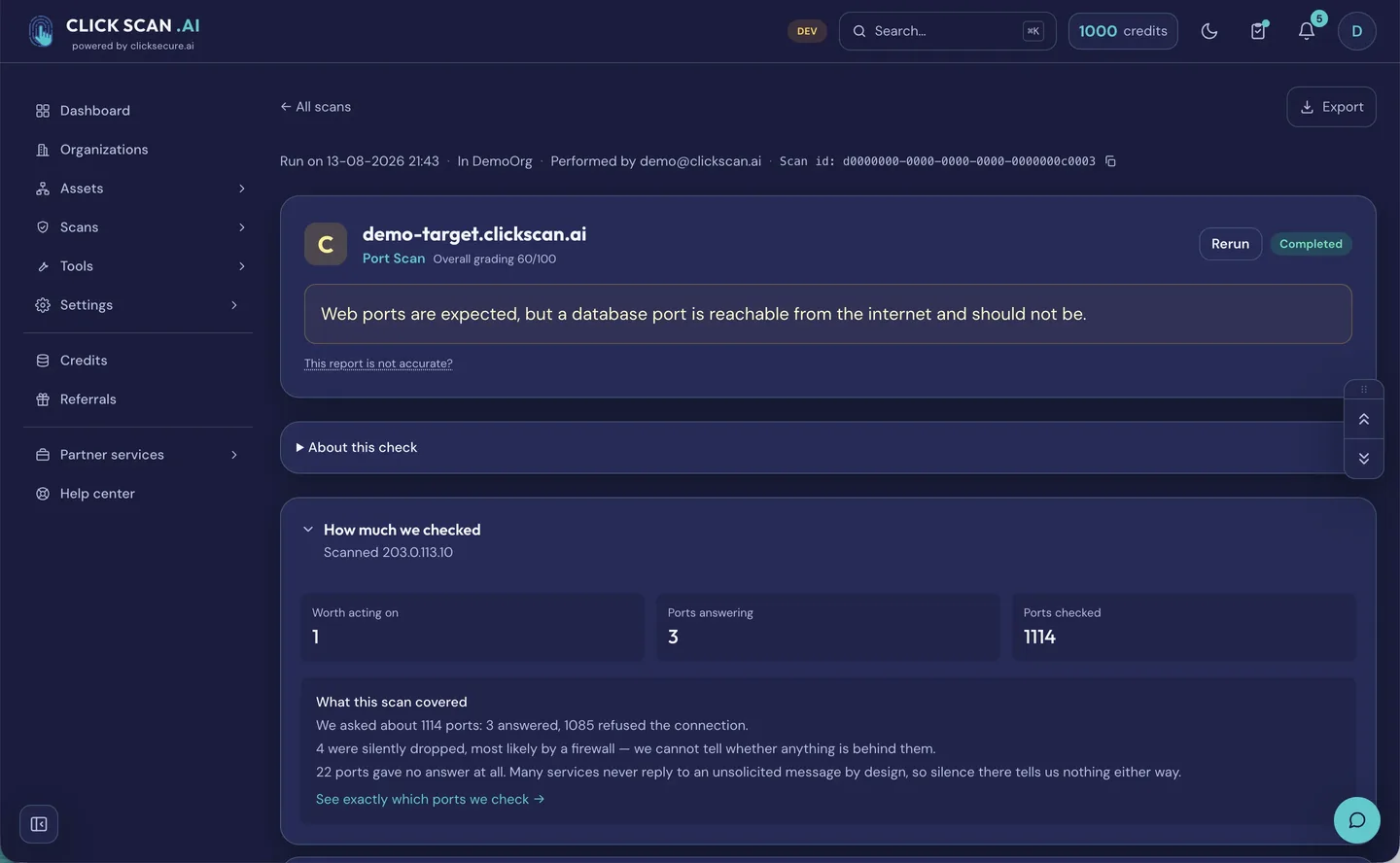
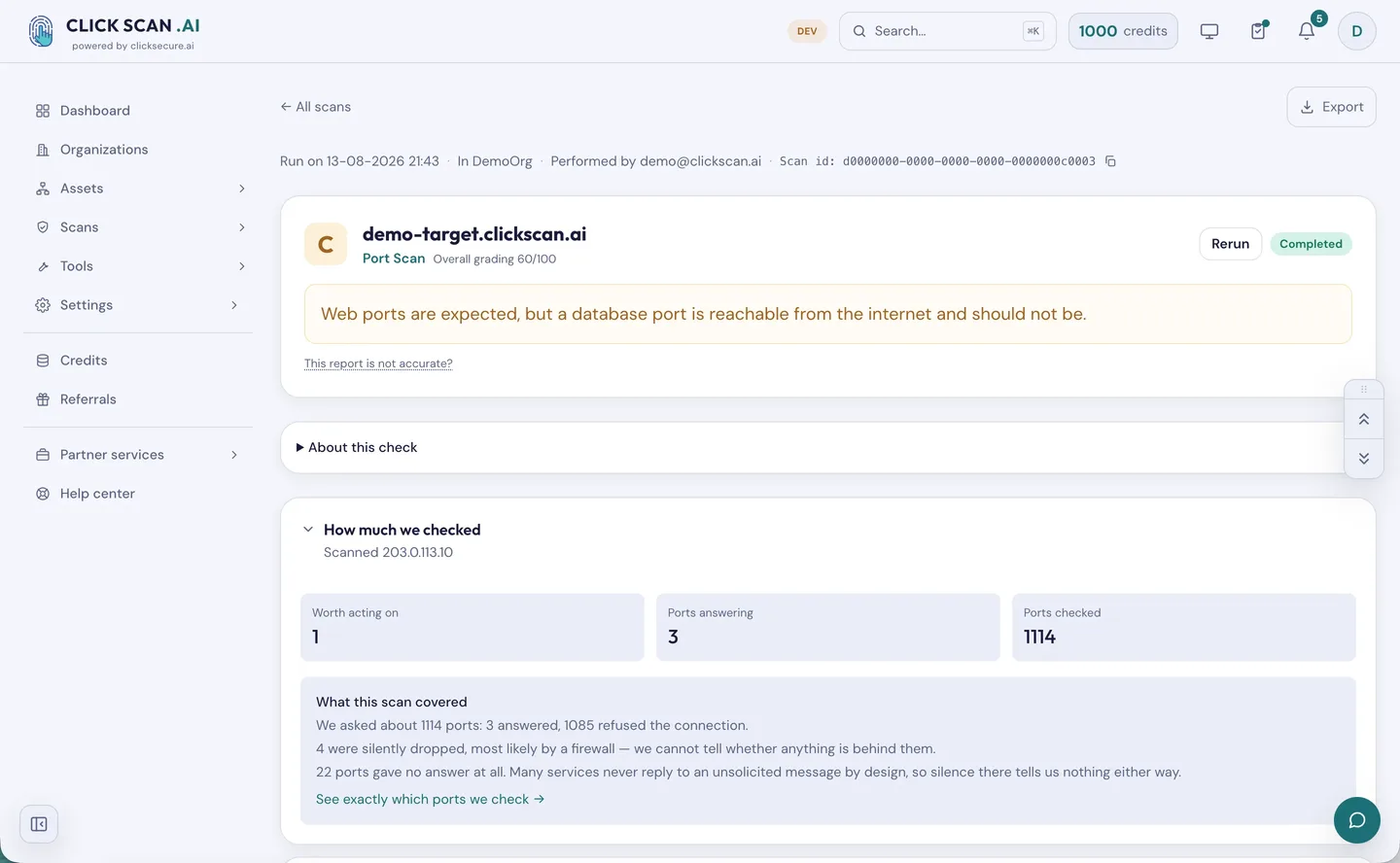
The standard scan covers the ports services are traditionally assigned to — 1 to 1023 — plus the higher ports where databases, remote desktop and management consoles actually live.
The full-range tier sweeps all 65,535, and goes a step further on the ports that answer. The standard scan records whatever a service volunteers on connecting; the full-range scan asks — an ordinary page request to a web server, the status command a database's own monitoring uses — and reads the name and version out of the reply. That matters because the convention is only a convention. An administrator who moved SSH to 2222 did not hide it; they only moved it somewhere a scan of the usual ports will not look and a full-range scan will.
What an attacker already knows
Both tiers also report what a public internet-wide index already publishes about the same addresses.
This is worth dwelling on. Several projects continuously scan the entire internet and publish what answers. Anyone can query them. So before an attacker sends your infrastructure a single packet, they can already have a list of your open ports, the software versions answering, and often the certificates in use — for free, with nothing in your logs.
Seeing that alongside what ClickScan.AI tested itself tells you what you are already advertising.
And it never moves your grade. A third party's observation is shown because it is what an attacker learns for free, and it is never counted among your own findings. Your grade reflects only what ClickScan.AI tested itself.
Scanning is bounded on purpose
The scan connects and listens, and nothing else: nothing is sent that could change anything on your server, no password is tried, and no more traffic is sent than a connection needs. Scans against one host wait their turn — the Port Scan runs one at a time against the same host — and a name or address that points at a private or reserved range is refused, and checked again whenever a scan runs. If our traffic reaches a system and is a problem, write to abuse@clickscan.ai quoting the scan id and we will act on it; operators who would rather never be scanned can ask there to have their domains or address ranges added to the platform's blocked list. A scanner that hammers a host to produce a faster report is a scanner that gets its findings from an outage.
What you get
Which ports answer, what is on them, and a grade from A+ to F. Run it on a schedule and change detection tells you when a new issue appears — a database or remote-access port that was not open before — which is usually the first sign that a deployment did something nobody intended.
Every new account gets free starter credits. Start at app.clickscan.ai, or see everything ClickScan.AI checks.